- Quest 3
Mystical Ninja VR
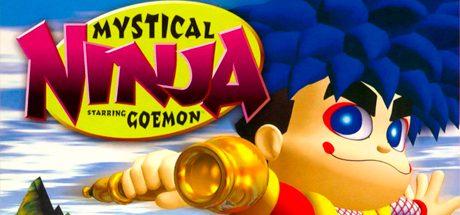
Mystical Ninja Starring Goemon (Nintendo 64) running natively on Meta Quest 3 at 60 FPS, built on Goemon 64: Recompiled. Head-tracked camera that follows Goemon, plus a first-person mode.
- TrackingYes, 6DoF
- Quest 3
This game has 2 steps
- Install the app on your Quest.
- Add the game files from your own copy. You can send them over USB or copy them yourself.
Checking browser support…
Verification
Not tested
Step-by-Step Installation Guide
Install on Quest, in the card above, is the one-click USB install. These steps are the manual path (SideQuest or ADB).
Overview
Mystical Ninja VR is a standalone port of Goemon 64: Recompiled (Mystical Ninja Starring Goemon) that runs natively on Meta Quest 3. You look around with your head while the camera follows Goemon smoothly, or switch to a first-person camera and see the world through his eyes. It runs at 60 FPS in every level.
Built on Goemon 64: Recompiled by klorfmorf and contributors, N64Recomp, N64ModernRuntime and RT64.
[!NOTE] No game files included. You must own the game. Use a ROM made from your own North American (USA) cartridge.
Prerequisites
- Meta Quest 3.
- Your own USA ROM of Mystical Ninja Starring Goemon.
Step-by-Step Installation
- Install the APK via 1-click on QuestPorts or install
MysticalNinjaVR-Quest-0.1.20.apkwith SideQuest / ADB. - Put your ROM somewhere on the headset, for example
/.sdcard/ Download/ - Launch Mystical Ninja VR from Library > Unknown Sources.
- In the start window, choose your ROM. The game checks the file and remembers it. After that, just press Play.
Controls
- Left stick moves, and walks where you look. Left stick click toggles first person.
- A / B jump and attack. X / Y change weapon and magic.
- Left grip opens the minimap. Right grip changes character.
- Left trigger camera control. Right trigger crawl.
- Right stick turns and sets camera distance. Right stick click puts the camera behind Goemon.
- Menu pauses.
Use a North American (USA) ROM. The start window checks the file before it lets you play. The app is Quest 3 only.
Requirements SummaryStandalone VR
No community reports yet. Be the first to share how it runs on your headset.
How did this port run for you?
Join the developer community for installation troubleshooting, high-resolution HD mod packs, and multiplayer sessions.